Join the reseller programme — in 8 steps.
A short walkthrough — from activating your paid listing on GhanaFuneralServices to copying your reseller code here on Ghana Memorial Products. Designed for funeral designers who want to keep earning long after the funeral day is over.
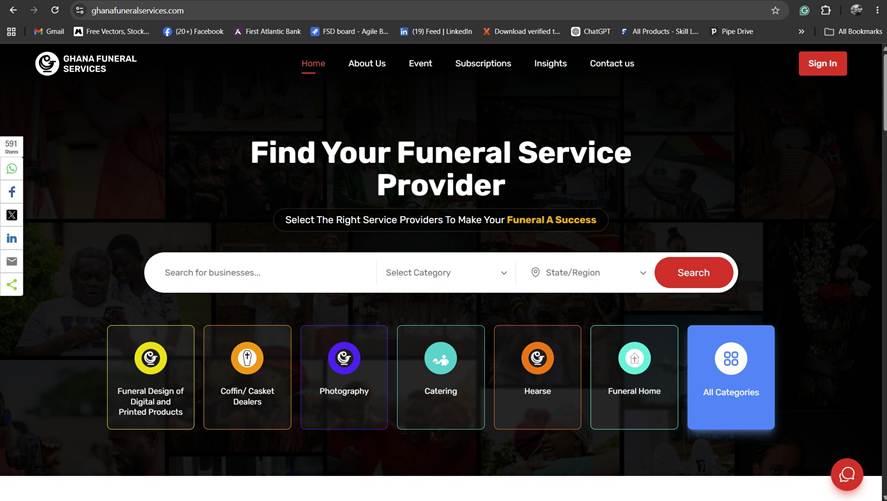
Activate your listing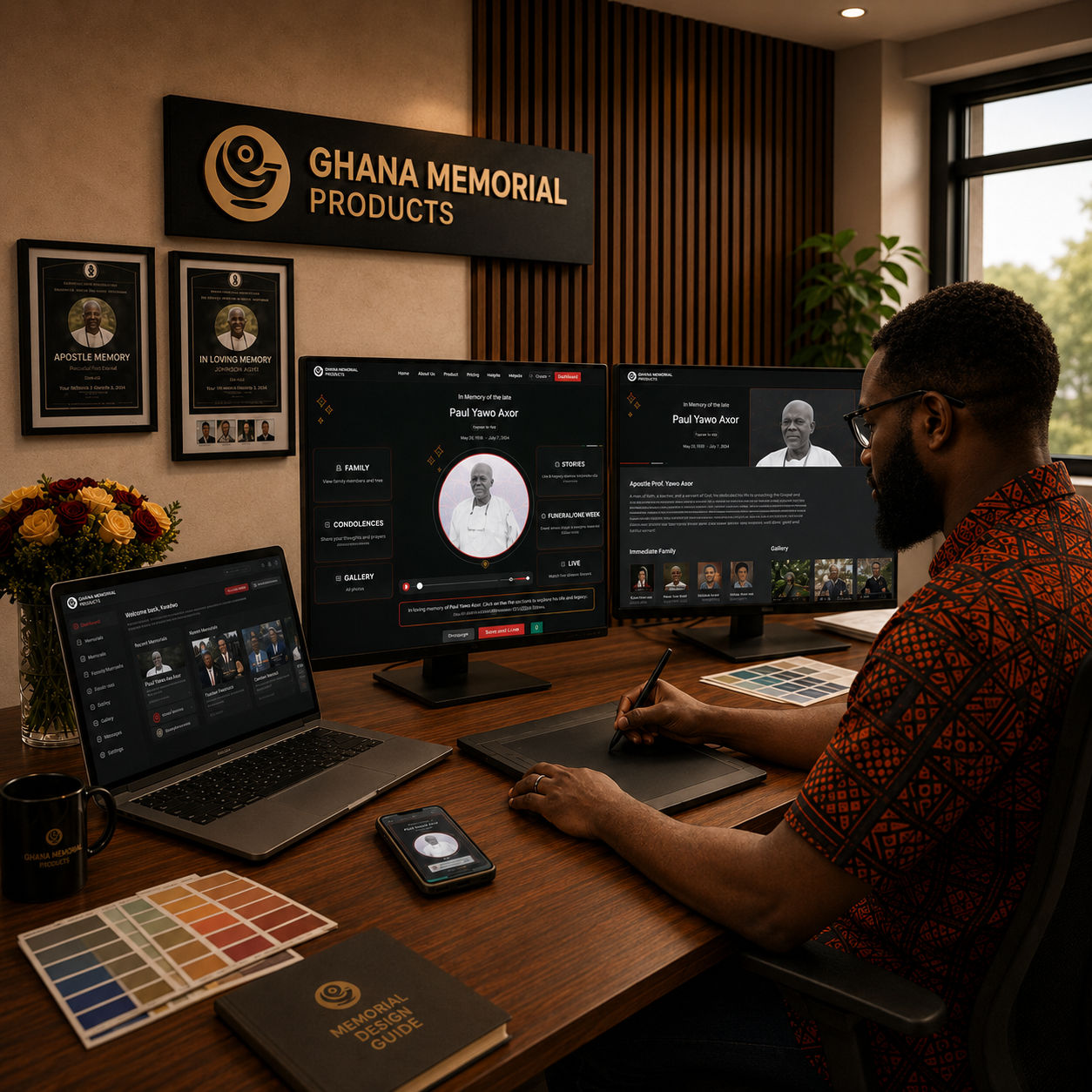
The walkthrough, in one video
Prefer to watch than read? This short video runs through all eight steps. Then follow along section by section below.
What You'll Do.
Eight steps, in order. Each section has a screen reference so you can follow along inside the platform.
Create your GhanaFuneralServices account
Before joining the reseller programme, create your account on GhanaFuneralServices. This is the starting point for the full setup.
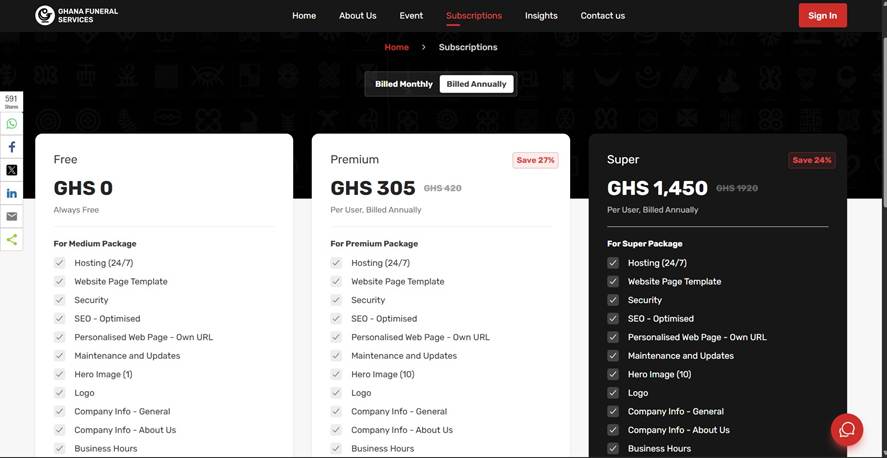
Activate a paid listing
After creating your account, activate a paid listing — Premium (from GHS 305 per year) or Super (GHS 1,450 per year). Only Premium and Super members are eligible for the reseller programme, and a paid listing presents your business clearly to families searching for funeral designers.
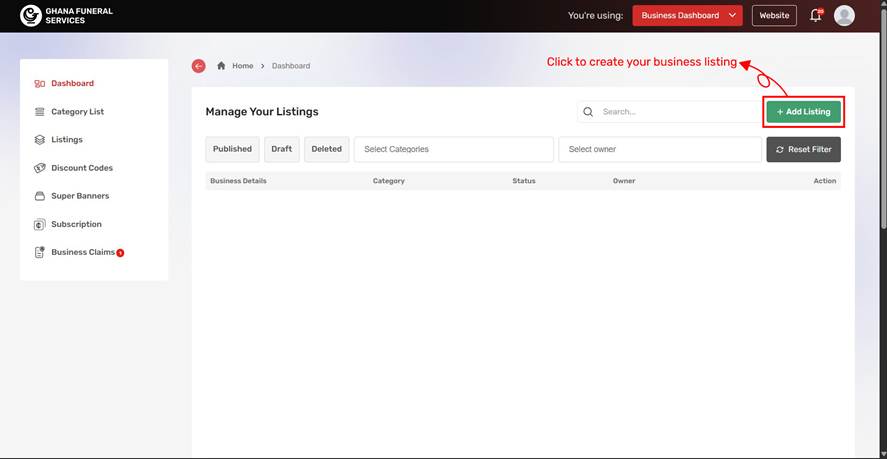
Click “Add Listing”
Once your paid plan is active, click Add Listing to create your business listing on GhanaFuneralServices.
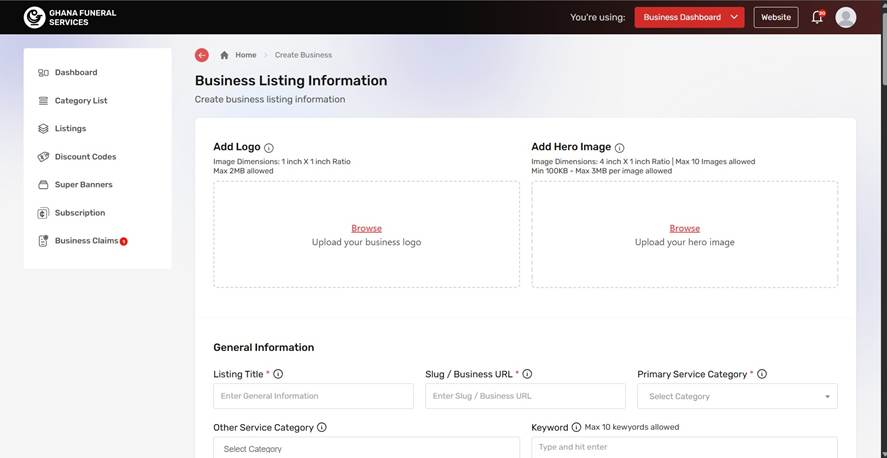
Complete your listing information
Fill in your business details carefully — name, contact options, services, images. A complete, well-presented listing makes your business easier to find and easier to trust.
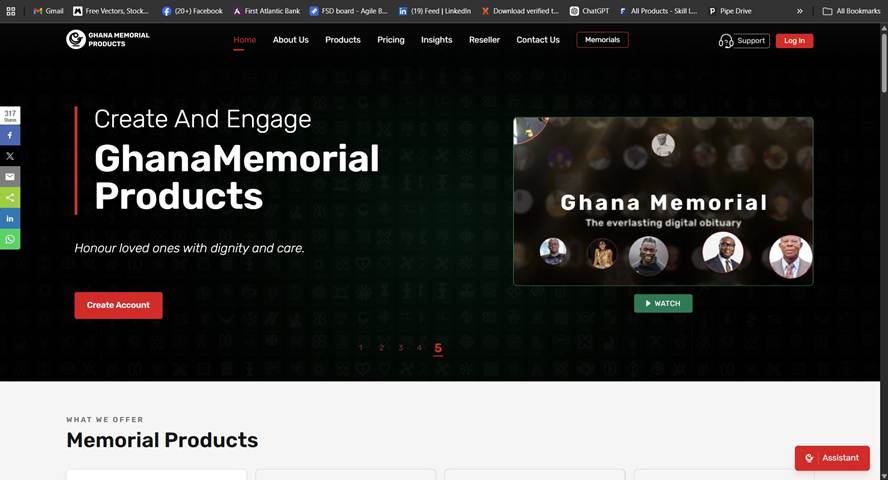
Open Ghana Memorial Products
Go to ghanamemorialproducts.com. You will sign in using the same account credentials you used on GhanaFuneralServices.
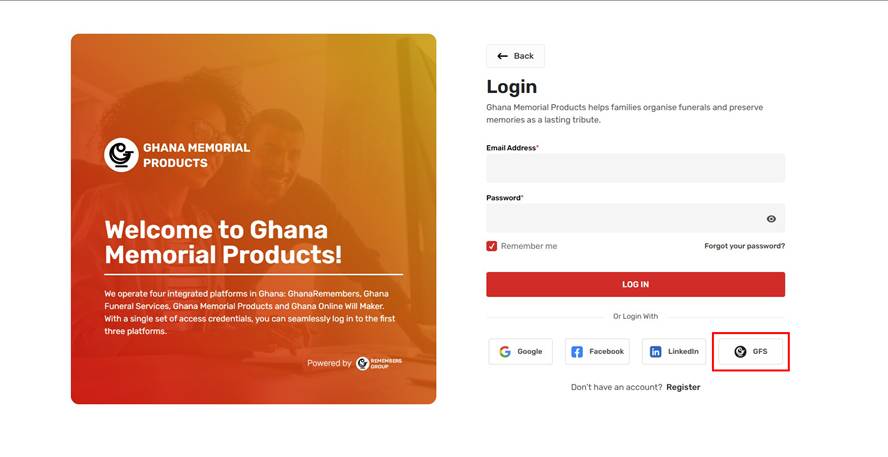
Click the GFS icon before logging in
Before entering your email and password, click the GFS icon. This connects your GhanaFuneralServices account to Ghana Memorial Products and gives you reseller access.
Open the Reseller Program section
On your Ghana Memorial Products dashboard, click the user icon at the top right and select Reseller Program from the menu.
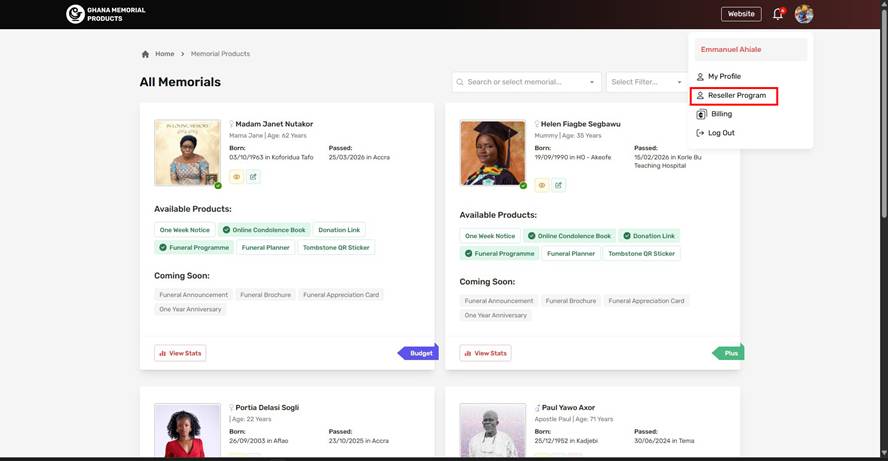
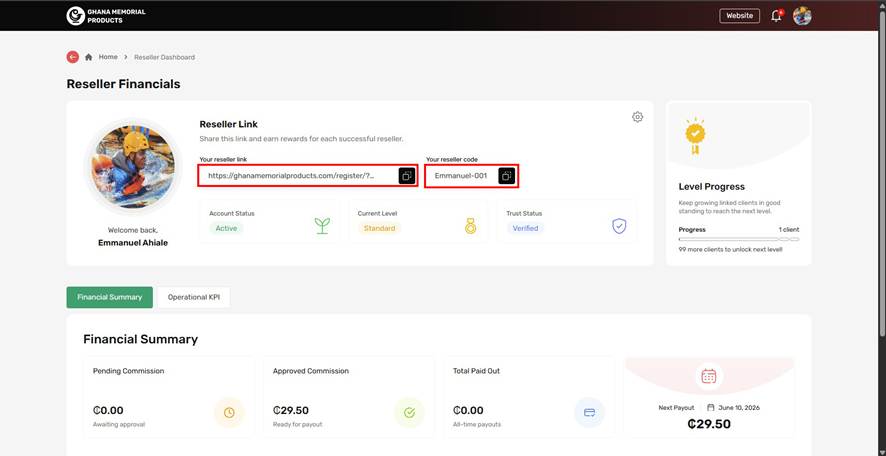
Copy and share your reseller link and code
Your reseller link and code appear on the Reseller Dashboard. Share them with the families you serve — when they take a Ghana Memorial subscription or product, you earn 25% commission.
That's the full setup — you're a reseller.